Portfolio
I've decided from very early on to make my portfolio myself by coding it rather than using wordpress or some other CMS system. The reason for this is so that I have more control over what I'm making and so that I can show coding in the 2nd learning outcome.
I've made this portfolio using HTML and CSS. I've used the Font Awesome library for the icons and the Google Fonts library for the fonts.
Here are a few screenshots showing the code I've made for my portfolio.
First of is the sidebar code. All it is, is a div wrapper that houses the different elements within. It has a header for my name and a paragraph underneath with some sub text. Under the text is another div that houses the social media icons. They are placed in this div so that I could add a display flex to them and place them next to each other. Lastly I added another div that houses the portfolio abstract and added the sidebar__mobile__bottom class to it so that it placed under the text. In the desktop version it has the sidebar__bottom class. This has a position bottom class so it will be placed on the bottom of the screen.
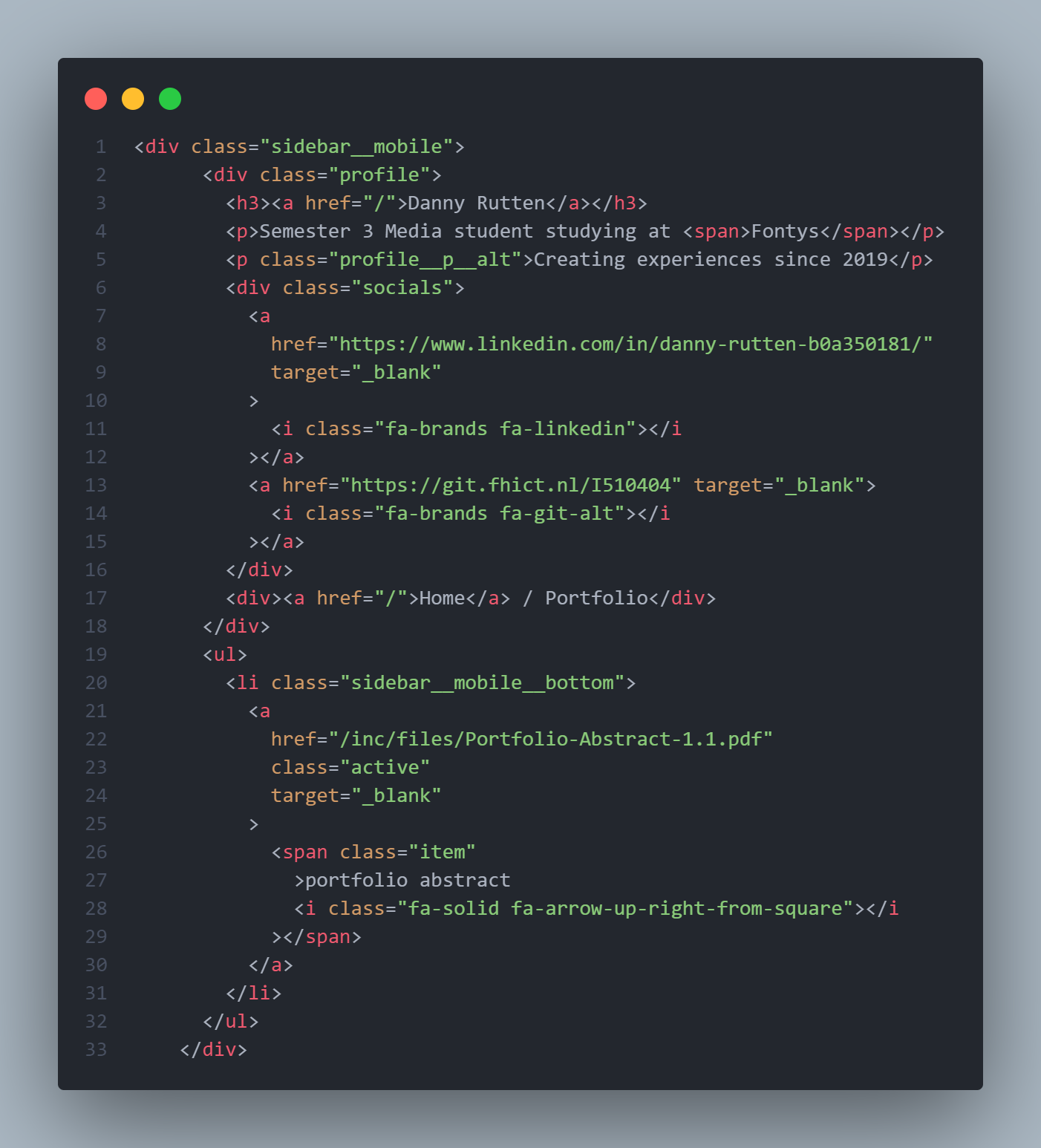
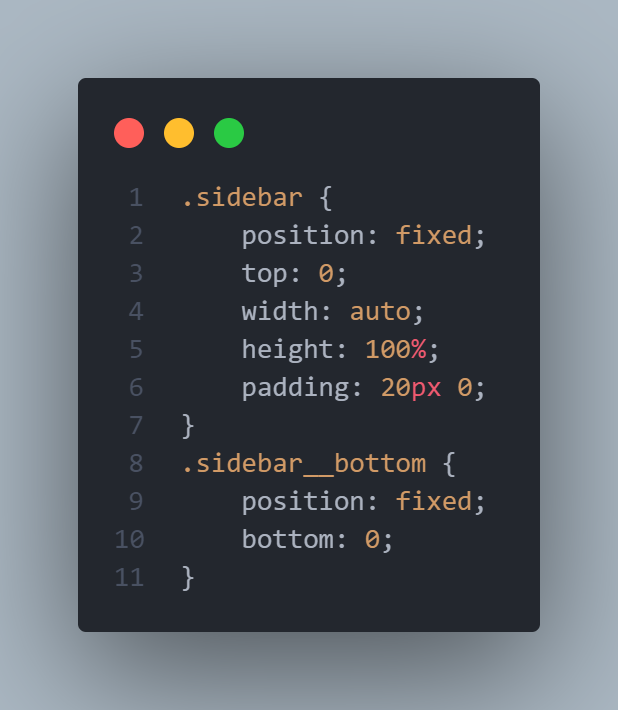 Sidebar code
Next is the learning outcome navigation code. This can be seen underneath. It is a div that is a flex container and places the learning outcome left and the rest of the content to the right of it.
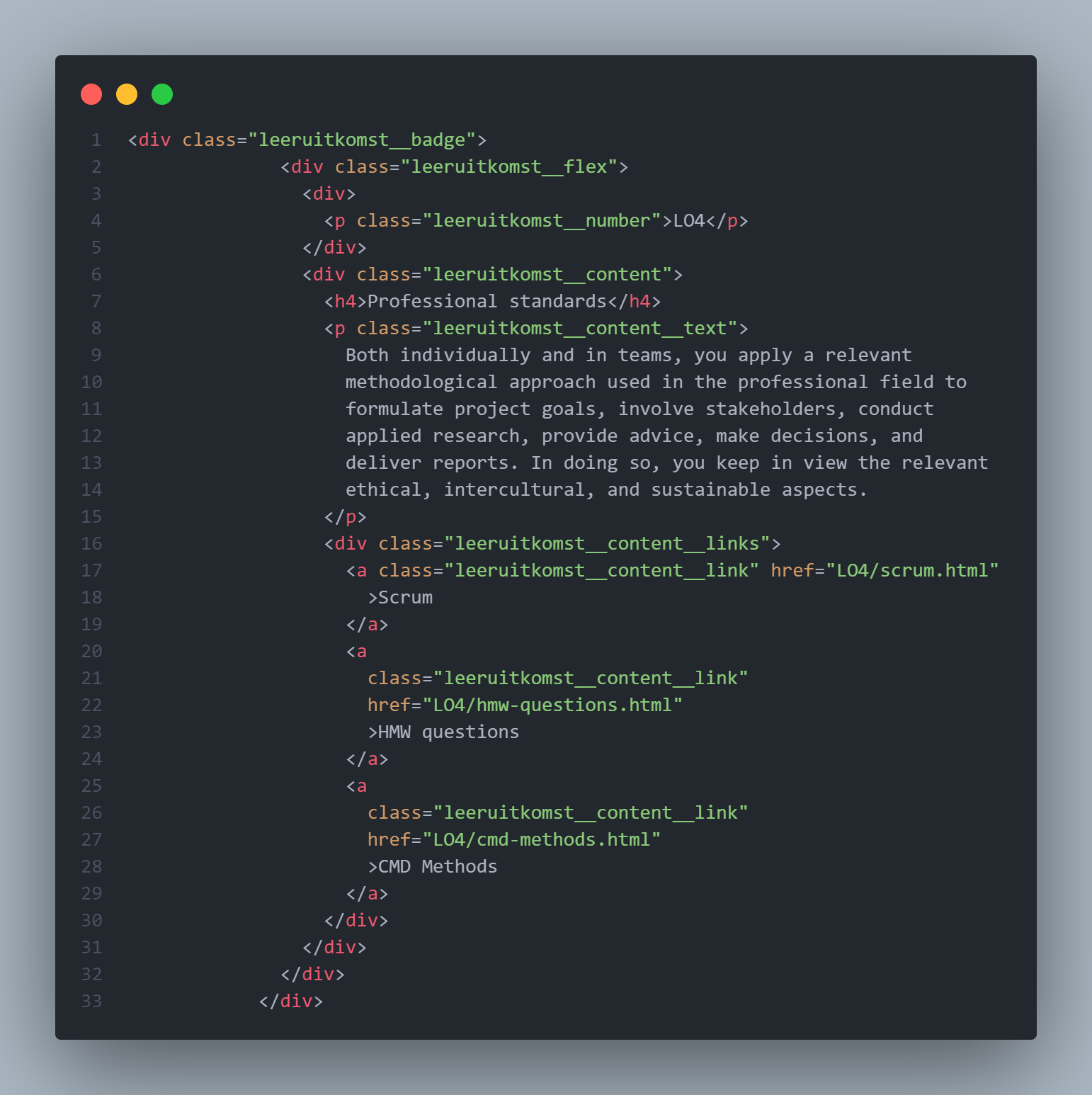
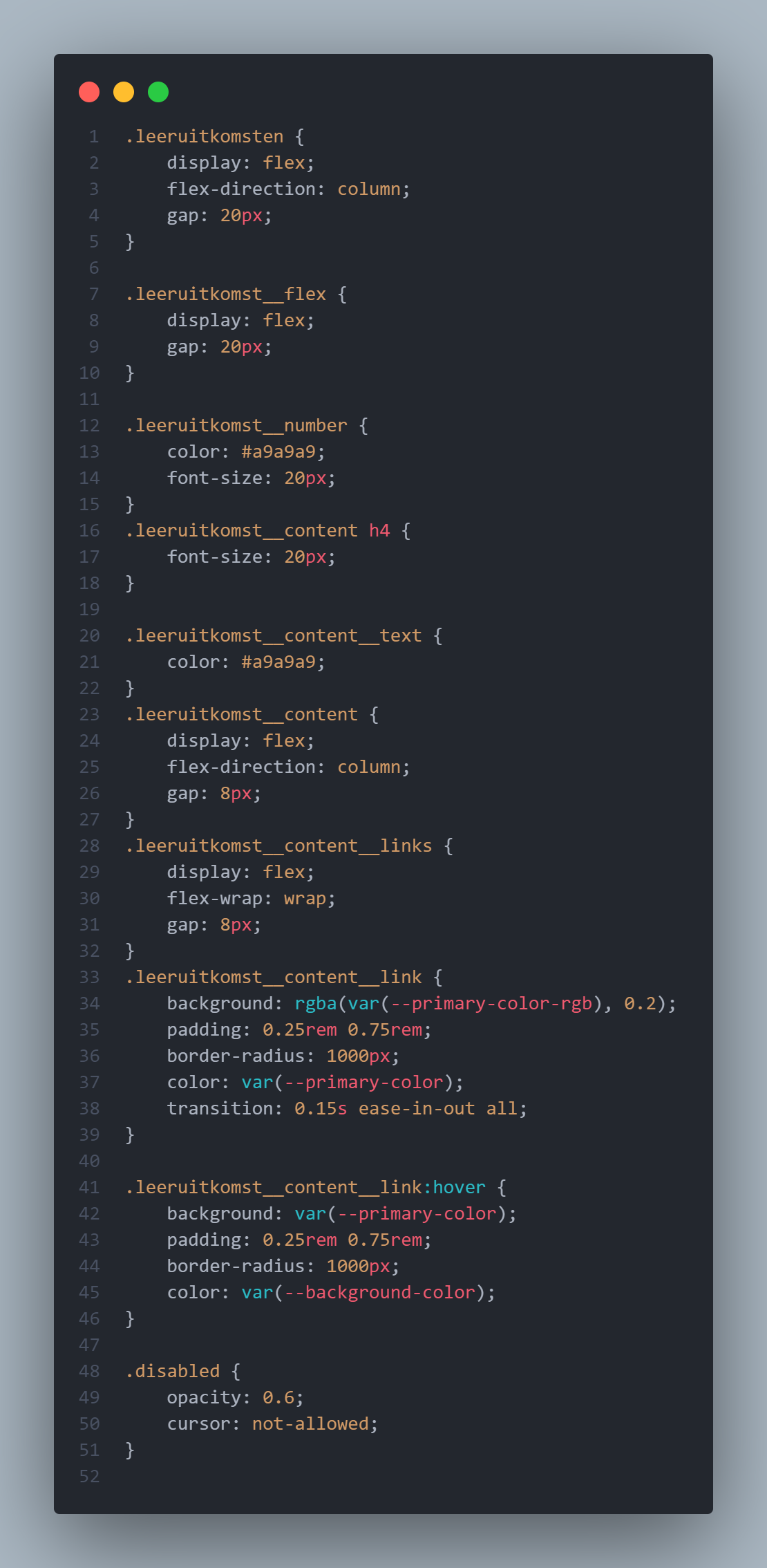 Learning outcome navigation code
The var(--primary-color) is a root class that is placed in the main css file. In this file all the other "sub" css files are imported and can then be used on the page where it is needed. This is a great way of working, especially when working in a group. This way your CSS doesn't interfere with others and you won't get as many merge conflicts when adding everything together.